Android Controllers —
Full Guide 2026

The definitive resource for Android controllers — types, compatibility, top product reviews and expert buying advice for every mobile gamer.

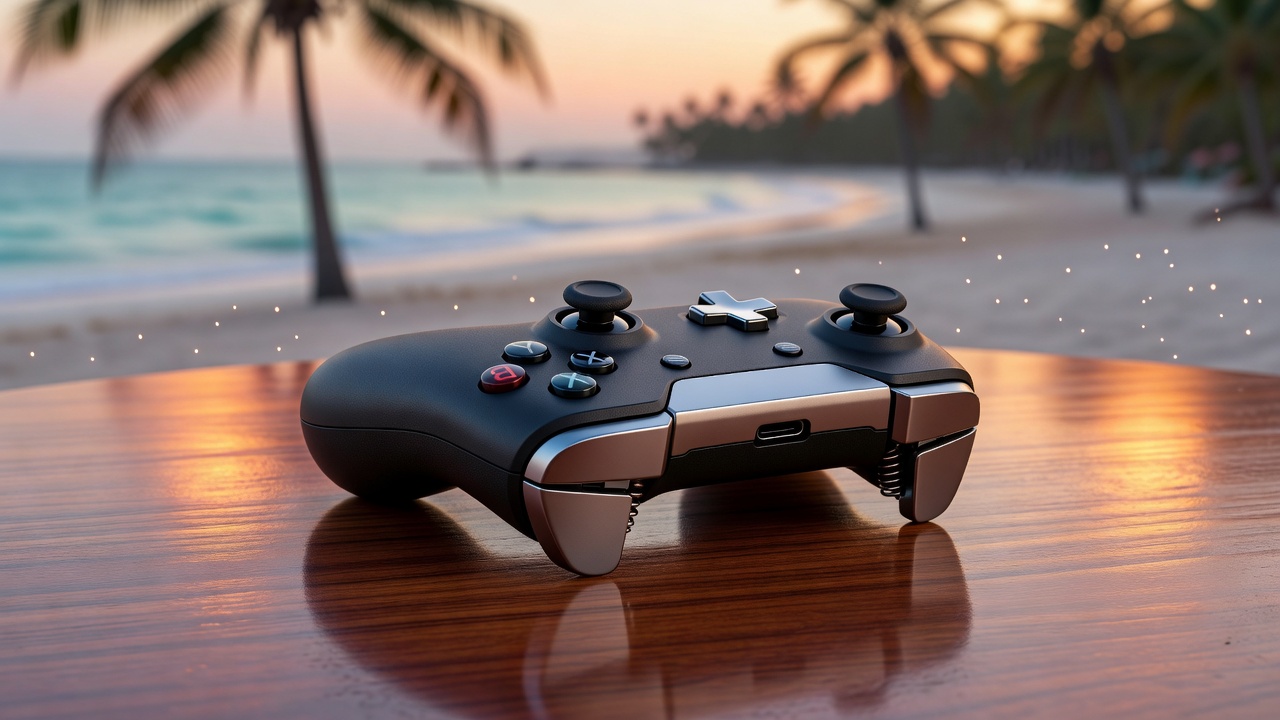
Android controller gaming accessory product shot

What Is an Android Controller?

An Android controller is a dedicated gaming input device designed to work with Android smartphones and tablets via Bluetooth or USB connection. Unlike a phone gamepad that clips directly onto your phone, an Android controller can be a standalone unit paired wirelessly while your phone rests on a stand or holder.

The best Android controllers offer console-quality controls — dual analog sticks, complete D-pads, trigger buttons, shoulder bumpers and often advanced features like Hall Effect sensors, gyroscopes, multi-device pairing and OLED displays for battery readouts.

Android controllers are ideal for cloud gaming (Xbox Game Pass, GeForce NOW, PlayStation Remote Play), emulation, and premium mobile titles that benefit from physical controls. Many top models also support iOS, PC and even consoles — making them a versatile investment for any gamer's setup.

Read Buying Guide
Types of Android Controllers

Four main designs cover the full range of Android controller use cases, from console replicas to compact clip-ons.

🎮

Gamepad-Style (Console-Like)

Traditional console-style Android controllers resemble Xbox or PlayStation pads. They connect via Bluetooth and are used alongside a phone stand. These offer the richest feature set: rumble, trigger motors, OLED displays and long battery life up to 25 hours. Perfect for cloud gaming and emulation.

📏

Telescopic Grip Controllers

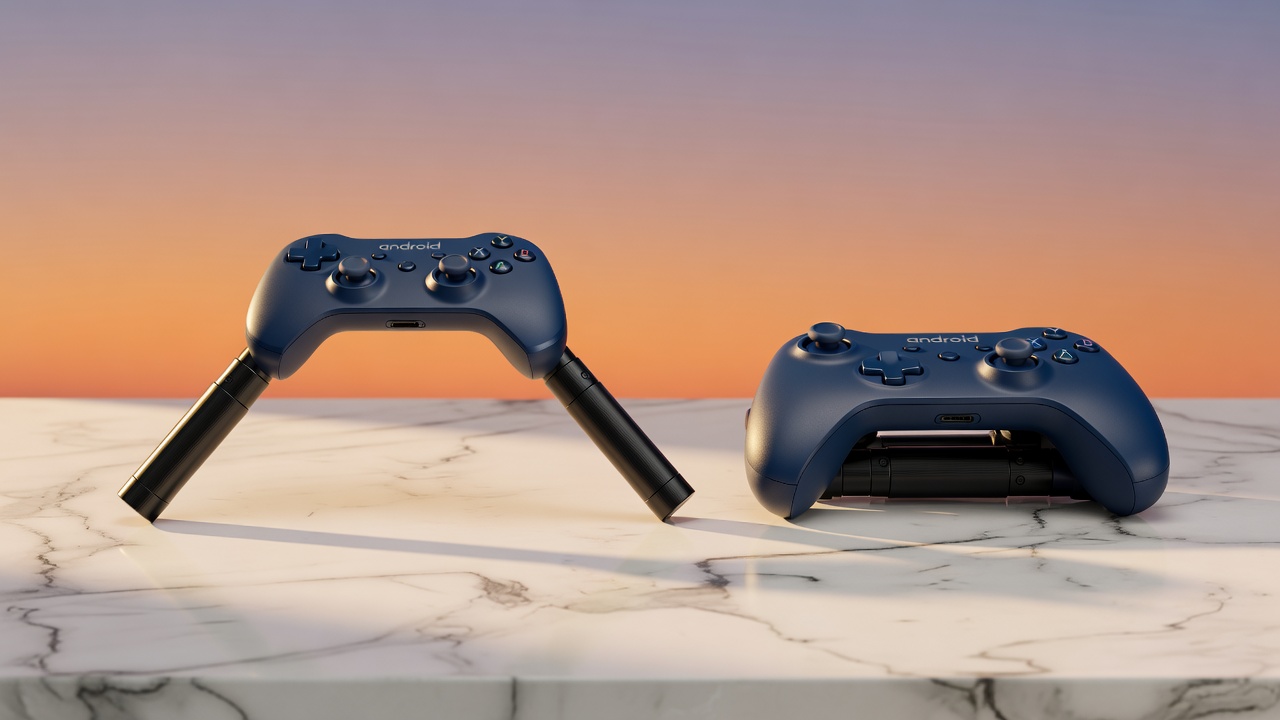
Telescopic Android controllers extend to hold your phone in the center — similar to a Nintendo Switch. The phone becomes the screen and the controller grips wrap around it. These are the most popular type for direct Android gaming with titles like Genshin Impact, Diablo Immortal and racing games.

📱

Clip-On Smartphone Controllers

Clip-on Android controllers clamp onto the sides of your phone, attaching via USB-C or Bluetooth. They're ultra-portable and great for competitive gaming on the go. Many feature additional cooling vents or passthrough charging while gaming.

📡

Bluetooth Standalone Controllers

Standalone Bluetooth Android controllers operate entirely independently from your phone, pairing wirelessly from up to 10 meters away. They require a phone stand and work best for cloud gaming, emulators and streaming services. Multi-device pairing lets you switch between phone, tablet and PC instantly.

Choosing an Android Controller — Key Tips

Use these 6 expert tips to choose the right Android controller for your gaming needs and budget.

01

Match Your Use Case

Cloud gaming needs a standalone Bluetooth controller. Direct mobile gaming works best with a telescopic or clip-on model. Define how you play before buying.

02

Check Bluetooth Version

Bluetooth 5.0 significantly reduces latency compared to 4.2. For competitive mobile gaming, always prioritize controllers with BT 5.0 or newer.

03

Hall Effect Sticks Are Worth It

Hall Effect analog sticks use magnetic sensors instead of physical contacts — they never drift and maintain accuracy for the life of the controller. Worth the extra cost.

04

Battery Life Matters

Aim for at least 10 hours of battery life for casual use. Heavy gamers should target 15–25 hours. Fast USB-C charging is a bonus.

05

Verify Game Compatibility

Not all Android games support controllers. Check your target titles on the developer's site or use apps like Gamepad Tester to verify full button mapping support.

06

Multi-Device Value

If you game on multiple platforms, choose a controller that supports Android + iOS + PC. This maximizes value and lets you use one controller across all your devices.

Best Android Controllers 2026

Expert-reviewed Android controllers across all categories — from premium pro-level to best-value budget picks.

Android Pro Controller with Hall Effect joysticks
Editor's Choice
★★★★★ (4.9/5)

Android Pro Controller Elite

Our top-rated Android controller combining Hall Effect precision, industry-leading battery life and multi-platform support in a premium build.

  • Hall Effect joysticks — zero drift
  • Bluetooth 5.0, 10m range
  • 20-hour battery life
  • Dual rumble + trigger motors
  • 6-axis gyroscope & accelerometer
Android iOS PC
View Details
Telescopic Android Controller with adjustable arm
Best Telescopic
★★★★★ (4.8/5)

Telescopic Mobile Controller Pro

Adjustable telescopic Android controller that holds phones from 4.7" to 6.9" — the ideal mobile gaming accessory for console-style direct play.

  • Adjustable arm: 4.7" – 6.9" phones
  • Dual HD rumble motors
  • 10-hour battery life
  • USB-C wired passthrough
  • Bluetooth 5.0 + 2.4GHz dongle
Android iOS
View Details
🎮
Best Compact
★★★★☆ (4.5/5)

Compact Android Gamepad X6

Slim, pocket-friendly Android controller with a solid feature set for the price. Includes gyroscope and USB-C wired mode for zero-latency gaming.

  • 8-hour battery life
  • USB-C wired option (zero latency)
  • 6-axis gyroscope
  • Foldable design — travel-friendly
  • Compatible with 400+ games
Android
View Details
Premium Pick
★★★★★ (4.9/5)

Premium Wireless Controller Ultra

The flagship Android controller experience. OLED battery display, programmable macro buttons, 25-hour battery and unmatched build quality.

  • OLED battery status display
  • 4 programmable macro buttons
  • 25-hour battery life
  • Hall Effect sticks & triggers
  • Multi-device pairing (3 devices)
Android iOS PC Console
View Details

Console-Quality Android Gaming, Anywhere You Go

The right Android controller transforms your mobile gaming experience. Whether you're gaming at home on a big screen, at a café or on the beach — a great Android controller delivers the precision and comfort you deserve.

Paired with cloud gaming services like Xbox Game Pass or GeForce NOW, your Android controller becomes your ticket to full console and PC game libraries, all on your phone.

Explore All Categories

Android Controller Compatibility Guide

Understanding game compatibility helps you get the most out of your Android controller. Here's what to expect across different game categories.

🏆 Full Controller Support

  • Genshin Impact
  • Call of Duty Mobile
  • Fortnite Mobile
  • Diablo Immortal
  • Dead Cells
  • Stardew Valley
  • Minecraft

☁️ Cloud Gaming (Full Support)

  • Xbox Game Pass (xCloud)
  • GeForce NOW
  • PlayStation Remote Play
  • Steam Link
  • Amazon Luna
  • Nvidia Shield Games

🎮 Emulators (Full Support)

  • RetroArch
  • PPSSPP (PSP)
  • Dolphin (GameCube/Wii)
  • Citra (3DS)
  • AetherSX2 (PS2)
  • Yuzu/Ryujinx (Switch)

⚠️ Limited / Touch-Only

  • PUBG Mobile (partial)
  • Free Fire (limited)
  • Most gacha RPGs
  • Candy Crush / match-3 games
  • Some MOBA titles

Why Telescopic Android Controllers Are So Popular

Telescopic Android controllers combine the phone and controller into a single handheld device — the most convenient form factor for direct mobile gaming. They adjust to fit virtually any phone size and eliminate the need for a separate stand or holder.

Top telescopic models now include Hall Effect sticks, HD rumble, cooling vents and even USB-C passthrough charging so your phone doesn't die mid-session.

Adjustable 4"–6.9" Hall Effect Sticks HD Rumble Passthrough Charging No Stand Required

Android Controller Frequently Asked Questions

Answers to the most common questions about Android controllers and mobile gaming accessories.

Do all Android games support controllers? +
No — not all Android games have native controller support. However, hundreds of popular titles do, and all cloud gaming services (Xbox Game Pass, GeForce NOW, Steam Link) support controllers fully. You can also use apps like Mantis Gamepad Pro to add virtual controller mapping to unsupported games.
Is Bluetooth or wired better for an Android controller? +
Wired USB-C connections offer the lowest input latency (sub-5ms) and no battery drain. Bluetooth 5.0 controllers are close behind at 10–20ms — imperceptible for most games. For casual and cloud gaming, Bluetooth is perfectly fine. For competitive FPS titles, wired is preferred.
Can I use an Android controller on iOS or PC? +
Many premium Android controllers are designed for multi-platform use. Top models support Android, iOS, Windows PC, and even Nintendo Switch. Always check the product specifications for confirmed compatibility before buying.
What is Hall Effect technology in Android controllers? +
Hall Effect sticks use magnets instead of physical contact points to detect analog stick position. This means they never suffer from stick drift — a common problem with traditional analog sticks. Controllers with Hall Effect technology typically last much longer and maintain precision throughout their lifespan.
How much should I spend on an Android controller? +
Budget options start around $20–$40 and are fine for casual gaming. Mid-range controllers ($50–$100) offer solid features for most players. Premium models ($100–$200+) add Hall Effect sticks, OLED displays, macro buttons and multi-device support — worth it if you game daily across multiple platforms.
Will an Android controller drain my phone battery? +
Bluetooth controllers draw minimal power from your phone — negligible compared to the display and processor. Some telescopic controllers include USB-C passthrough charging, which can actually charge your phone while gaming. Standalone Bluetooth controllers have their own built-in batteries (8–25 hours) and don't use your phone's power at all.

Compare Android Controllers Side by Side

Use our comparison tool to evaluate specs, prices and features of the top Android controllers in 2026.

Compare Now Buying Guide