Home
Categories
Phone Gamepads Android Controllers Phone Cooling Gaming Grips Phone Clips Mobile Triggers Stands & Holders Buying Guide Compare About Contact
🎯 FPS Precision Technology

Mobile Triggers
FPS Precision on Your Phone

L1, R1, L2, R2 — console-quality trigger controls for your smartphone. Outshoot, outplay, and outlast the competition with the right mobile trigger setup.
6
Max Trigger Fingers
2–6
Finger Configurations
<$35
Full Pro Setup Cost
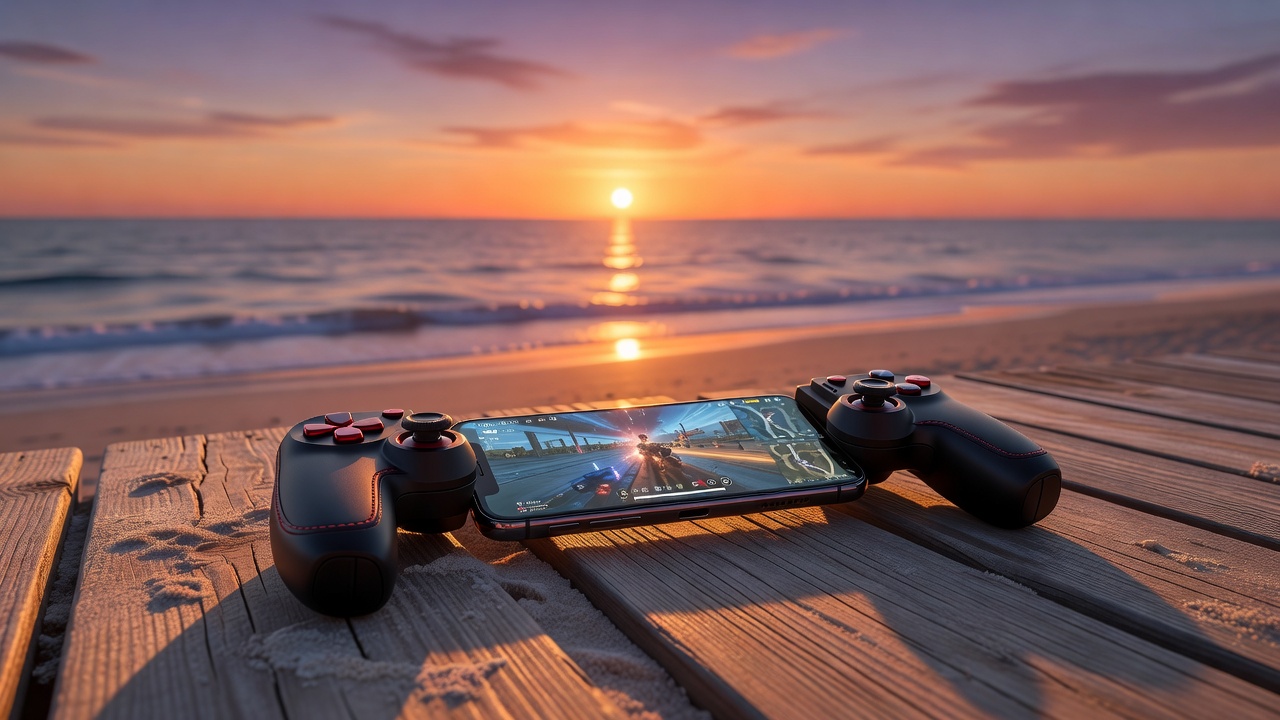
Mobile trigger accessory for FPS gaming

What Are Mobile Triggers?

Mobile triggers are physical L1/R1/L2/R2-style button attachments that clip or slide onto the sides of your smartphone. They overlay your phone's touchscreen with physical buttons that register as screen taps when pressed, giving you the tactile precision of console controllers in mobile gaming.

The Core Mechanic: Each trigger sits on the phone's edge and has a flexible fingertip arm that touches the screen at a user-defined position. When you squeeze the trigger, it physically taps your screen — activating whatever action is mapped to that screen location. No Bluetooth, no software, no latency.

Originally popularized in Asia's competitive PUBG Mobile and Free Fire scene, mobile triggers have become mainstream worldwide. Professional mobile esports players use 4 to 6-finger setups for maximum simultaneous input capacity — shooting, crouching, jumping, and reloading all at once.

  • No batteries, no Bluetooth, zero latency
  • Works with all touchscreen games instantly
  • Fits phones from 4.5" to 7" screen size
  • Compatible with or without phone cases
  • Affordable entry to competitive-level control

Types of Mobile Triggers

Choose your configuration based on the games you play and how competitive your ambitions are.

✌️

2-Finger Trigger Set (Basic L1+R1)

The entry-level setup: two triggers, one for each index finger, placed on the upper left and right edges of the phone. Maps perfectly to fire and ADS (aim down sight) controls in FPS games. Ideal for beginners upgrading from pure touchscreen play.

Recommended games: PUBG Mobile (beginner), Free Fire (all levels), Mobile Legends

👆👆 2-Finger Entry Level
🤚

4-Finger Trigger Set (L1+R1+L2+R2)

The standard competitive setup: four triggers covering all four corners of the phone. Both index fingers and both middle fingers each control a separate action. Enables simultaneous movement, aiming, firing, and secondary actions — a dramatic upgrade from 2-finger.

Recommended games: PUBG Mobile (ranked), COD Mobile (competitive), BGMI

👆👆👆👆 4-Finger Most Popular
🙌

6-Finger Trigger Set (Advanced Competitive)

The professional configuration: six trigger points covering index fingers, middle fingers, and ring fingers or an additional thumb position. Enables the most complex simultaneous input patterns. Used by top-ranked esports players. Requires practice to master but offers unmatched control potential.

Recommended games: PUBG Mobile (Conqueror rank), COD Mobile (tournament play)

6-Finger Pro Esports Grade
📱

Standard 4-Trigger Layout

L2
Left upper trigger — Scope / Grenade
R2
Right upper trigger — Fire / Attack
L1
Left lower trigger — ADS / Crouch
R1
Right lower trigger — Reload / Jump

Fingertip arms contact the screen at user-adjustable positions. Tension controls trigger travel and resistance.

The Technology Behind
Mobile Triggers

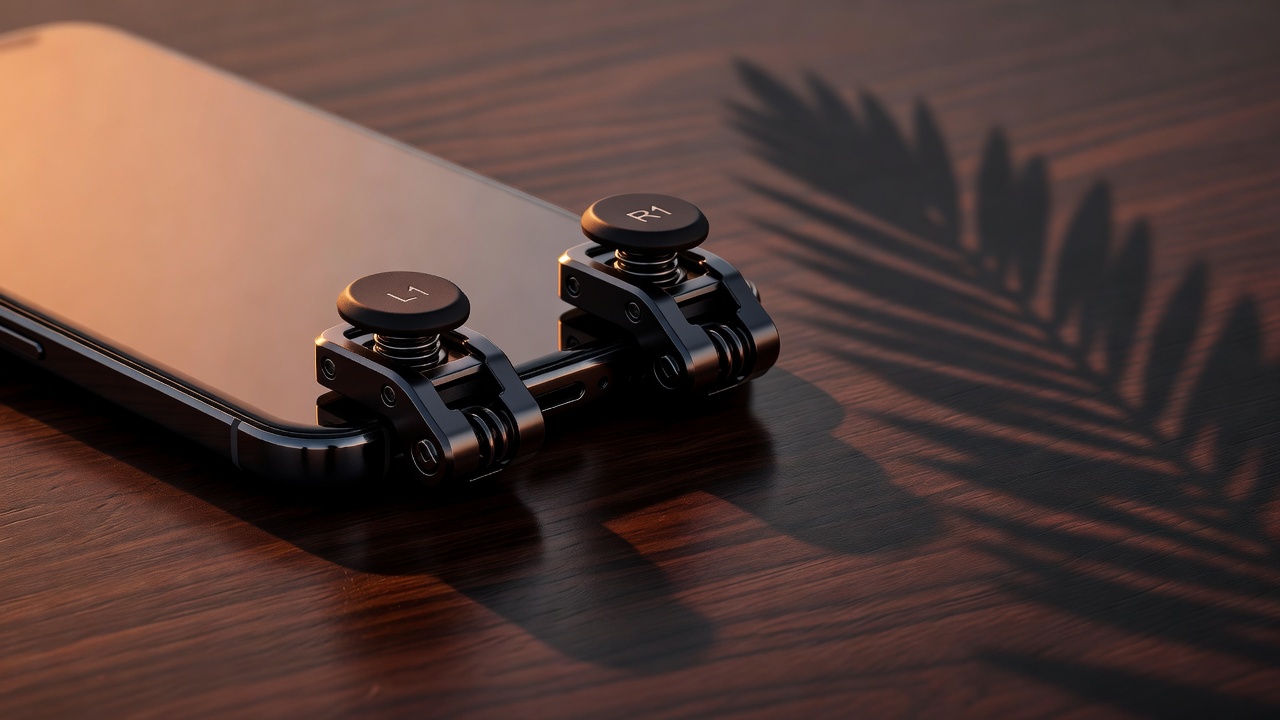
Mobile triggers exploit the fact that touchscreens respond to any conductive material that mimics a finger. The trigger's contact arm is made of conductive material — typically copper-coated silicone — that the phone's capacitive touchscreen registers as a fingertip touch.

The mechanical trigger mechanism converts finger squeeze pressure into a precise, repeatable screen tap. Unlike touching the screen directly, triggers provide:
  • Consistent tap position — no aim drift from finger repositioning
  • Adjustable trigger travel and resistance for personalized feel
  • Physical click feedback that confirms button presses
  • True simultaneous multi-finger input without screen occlusion
  • Zero latency — purely mechanical, no wireless signal
Mobile trigger mechanism close-up detail

Best Games for
Mobile Triggers

Mobile triggers shine in action games that reward precise, simultaneous multi-finger input. These titles benefit most dramatically from trigger upgrades.

🐔

PUBG Mobile

The original trigger-meta game. 4-6 finger setups allow gyro aiming, firing, and movement all simultaneously.

4–6 Finger Ideal
💀

Call of Duty Mobile

High-TTK FPS where trigger precision directly translates to kill-per-match improvement. Battle Royale and MP modes both benefit.

4 Finger Ideal
🔥

Free Fire

Fast-paced BR where 2-4 triggers are the competitive standard. Auto-fire sensitivity settings pair perfectly with physical triggers.

2–4 Finger Ideal
⚔️

Mobile Legends

MOBA gameplay benefits from trigger-mapped skill buttons, enabling faster rotations and ability combos during team fights.

2 Finger Ideal
🪖

BGMI

Battlegrounds Mobile India — India's dominant BR title. Pro BGMI players use 4-6 finger setups as standard in tournaments.

4–6 Finger Ideal

Best Mobile Triggers of 2026

Four trigger sets that cover every level of play, from first-time trigger users to tournament professionals.

✌️
Starter Pick

2-Finger Trigger Basic

★★★★☆(523 reviews)
  • Clip-on design, no adhesive needed
  • Fits 4.5"–7" phones universally
  • Adjustable trigger tension — 3 settings
  • Conductive silicone contact tips
  • Works with or without phone cases
$6–$10
🤚
Best Seller

4-Finger Trigger Pro

★★★★★(891 reviews)
  • Full L1+R1+L2+R2 configuration
  • Ergonomic asymmetric arm design
  • Rubberized contact tips for precision
  • Secure side-lock mechanism
  • Adjustable arm length for any game layout
$12–$18
🙌
Pro Grade

6-Finger Gaming Trigger Elite

★★★★★(347 reviews)
  • Full 6-point trigger coverage
  • Anti-sweat coating on all grips
  • Ergonomic left + right asymmetric arms
  • Gaming carry bag included
  • Dual-lock side clip mechanism
$20–$28
⚙️
Premium

Mechanical Trigger Set Pro

★★★★★(214 reviews)
  • Zinc-aluminum alloy construction
  • Clicky mechanical trigger feedback
  • Precision-aim optimized arm geometry
  • 45g total weight — ultra-light metal
  • Universal 4.5"–7" compatibility
$25–$35

How to Set Up
Mobile Triggers

Getting triggers configured correctly takes 5–10 minutes the first time. Follow these steps for optimal position and function.

  1. 1

    Clip Triggers onto Phone Edges

    Slide each trigger clip onto the top side edges of your phone. Most 4-finger sets color-code left and right. The clip should sit flush against the edge without applying pressure to the screen.

  2. 2

    Open Your Game and Locate Button Positions

    Launch your game and go to the HUD (heads-up display) layout editor if available. Note the exact pixel positions of fire, ADS, jump, and crouch buttons on your screen.

  3. 3

    Adjust Trigger Arm Positions

    Bend or slide each trigger arm so its contact tip sits directly over the target button. Most arms have multi-joint flexibility — position them gently, they hold shape when set correctly.

  4. 4

    Test Trigger Registration

    In a training mode or bot match, press each trigger and verify the correct in-game action fires. Fine-tune arm position by 1–2mm if registration is off. Verify all triggers simultaneously.

  5. 5

    Calibrate Tension and Play

    Most triggers have adjustable spring tension. Lighter tension for rapid-fire actions (shooting), heavier tension for accidental-press prevention (secondary skills). Play 2–3 practice matches before ranked play.

Pro Setup Tips

📐
Move Fire Buttons to Screen Edges In PUBG/COD HUD settings, reposition the fire button to the upper right corner where your R1 trigger will naturally reach. This reduces arm travel significantly.
🎯
Use Gyroscope + Triggers Together Enable gyroscope aiming for fine aim adjustments while your triggers handle firing and other actions. This is the standard pro PUBG Mobile setup.
Practice in TDM Before BR Matches Team Deathmatch modes give you high-density trigger-use repetitions. 30 minutes in TDM equals hours of trigger familiarization compared to Battle Royale.
🧪
Test on Multiple Sensitivity Settings Lower touch sensitivity settings can cause missed trigger registrations. Increase game touch sensitivity to 100% to ensure every mechanical trigger tap is registered.
🌡️
Clean Contact Tips Regularly Sweat and oils on conductive tips reduce electrical capacitance and cause missed taps. Wipe contact tips with a slightly damp cloth before each session.

Tips for Using Mobile Triggers
in Competitive Play

Earning rank with triggers requires adapting your entire play style. These insights come from professional mobile esports players.

📊

Remap Your Entire HUD

Don't use triggers with default button layouts. Reposition all buttons to align with your trigger contact points. Optimal layouts place fire and ADS on opposite corners.

🔄

Learn Peek-Shoot Technique

With 4 fingers, you can move, peek, aim, and shoot simultaneously. Practice the "drag-shoot" where you drag-aim with thumbs while trigger-fingers handle fire.

🏋️

Build Muscle Memory Gradually

Go from 2-finger to 4-finger over 2–3 weeks, not overnight. Your hit rate will temporarily drop — this is normal. Persistence through this phase is what separates competitive players.

📱

Choose Games Wisely for Each Setup

6-finger setups for PUBG ranked, 4-finger for COD MP, 2-finger for MOBA. Over-equipping for casual games creates unnecessary complexity.

🎯

Pair with Gyroscope Sensitivity

Set gyroscope to 80–120% sensitivity. Triggers handle all button actions; gyroscope handles fine aim micro-adjustments. This combination is industry standard at pro level.

🧊

Temperature Matters for Contact Tips

Cold conductive tips are less responsive. In cold environments (below 15°C), warm up triggers by holding them for 30 seconds before starting. Consider a phone cooler to prevent the opposite — overheated screens degrade touch sensitivity.

The Perfect Pair — Triggers + Grips

Add Gaming Grips to Your Setup

Mobile triggers dramatically change how you hold your phone — your fingers extend to trigger positions while thumbs handle movement and aim. This new hold requires grip confidence to prevent phone slipping. Silicone grip strips or ergonomic grip attachments are the ideal complement to any trigger configuration. Sweat-resistant materials are especially important during competitive high-pressure sessions.

Explore Gaming Grips
📎

Mount Your Phone for Maximum Stability

When using 4 or 6-finger trigger setups, holding the phone becomes challenging. Mounting your phone on a controller clip or desk holder allows your hands to focus entirely on trigger inputs — dramatically improving precision. Controller phone clips are particularly popular with 4-finger setups, creating a pseudo-console experience with your smartphone at the center of a full gamepad.

Explore Phone Clips

Mobile Trigger Questions Answered

Everything you need to know before choosing your first or next trigger set.

Are mobile triggers considered cheating? +
No — mobile triggers are universally permitted in casual and ranked play. They are purely mechanical accessories that simulate physical finger taps, identical in game input to touching the screen directly. No game client can detect trigger use because triggers simply produce normal touchscreen inputs. Major mobile esports tournaments (PUBG Mobile Global Championship, COD Mobile World Championship) explicitly permit physical triggers. The only caveat: some auto-fire macro devices that simulate rapid trigger presses may be prohibited — those are different from passive trigger accessories.
Will mobile triggers scratch my phone screen? +
Quality mobile triggers use soft conductive silicone or rubber contact tips that are significantly softer than your screen's glass surface (Gorilla Glass hardness: 7 Mohs; silicone: less than 1 Mohs). They cannot scratch modern smartphone screens under normal use. However, if a contact tip becomes contaminated with sand or grit, damage is possible — always check tips for debris before use, and keep triggers stored in a bag or case when not in use.
Can I use mobile triggers with a screen protector? +
Yes, with some considerations. Thin tempered glass screen protectors (0.2–0.3mm) are fully compatible — the conductive signal passes through easily. Thick privacy screen protectors or anti-glare matte protectors may reduce touch sensitivity and cause missed trigger registrations. If you experience missed inputs with a screen protector, increasing game touch sensitivity to 100% usually resolves the issue.
How long does it take to get good with 4-finger triggers? +
Most players reach comfortable control within 1–2 weeks of daily play. However, reaching your previous performance level (before switching from touchscreen) typically takes 3–4 weeks. The performance ceiling with 4-finger triggers is significantly higher — most players find they exceed their old performance level within 6–8 weeks. The key is committing fully to the new setup and not reverting to 2-finger play during the adjustment period.
Do mobile triggers work on all phones including iPhones? +
Yes — mobile triggers work on all capacitive touchscreen smartphones, including all iPhone models, Samsung Galaxy series, OnePlus, Xiaomi, Oppo, and any other Android device. The technology is phone-agnostic since it works via direct screen contact, not Bluetooth or USB. The only incompatibility is with very old resistive touchscreen devices (pre-2010), which are not gaming phones.